


Fitment questions?
Call (855) 786-7101 or text (801) 304-3141.
Real people. Real answers.
Product details
PMB Performance · Authorized Garmin Retailer
Garmin part number: 010-C0783-00
Use this Garmin preprogrammed chart card to add chart coverage for Gulf of Bothnia to a compatible chartplotter. The selected card edition is VEU047R-Gulf of Bothnia.
Highlights
- Combines Garmin chart data with Navionics cartography.
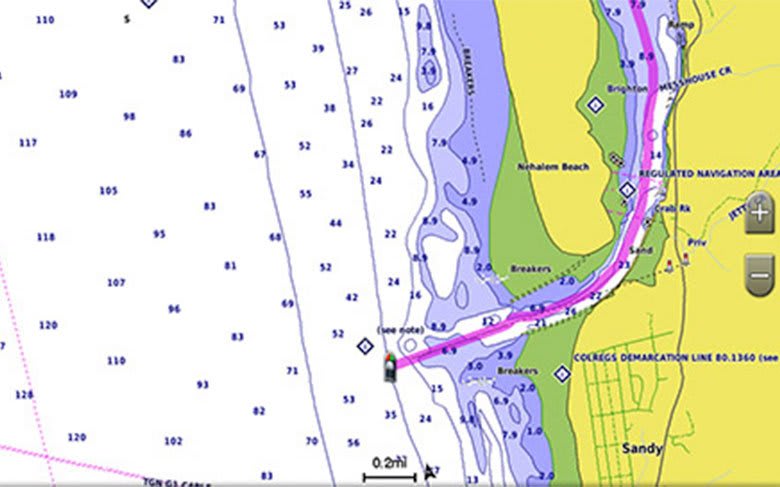
- Auto Guidance can suggest a route using your desired depth and overhead clearance. Use it for planning and follow safe navigation practices on the water.
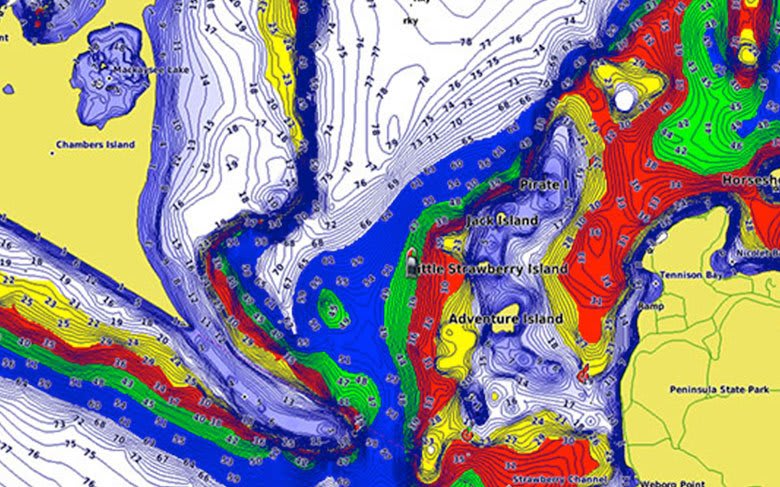
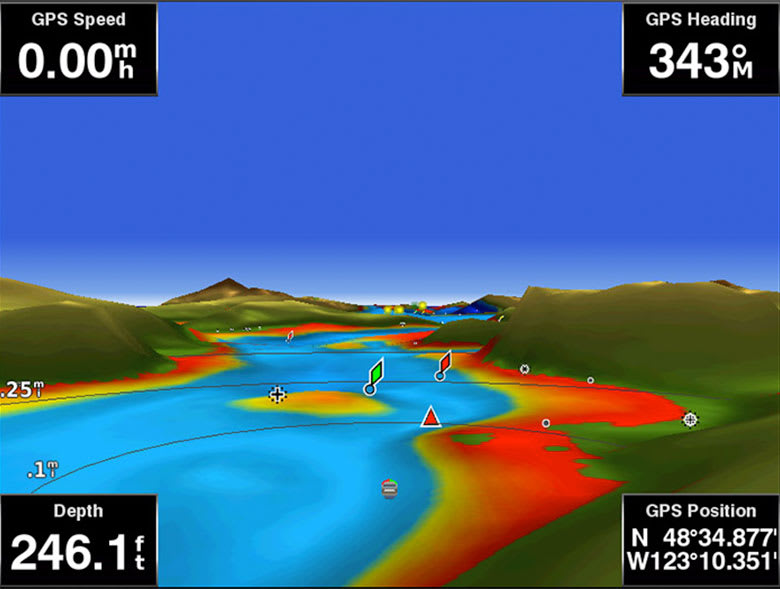
- Set up to 10 color-coded depth bands to highlight water at different depths.
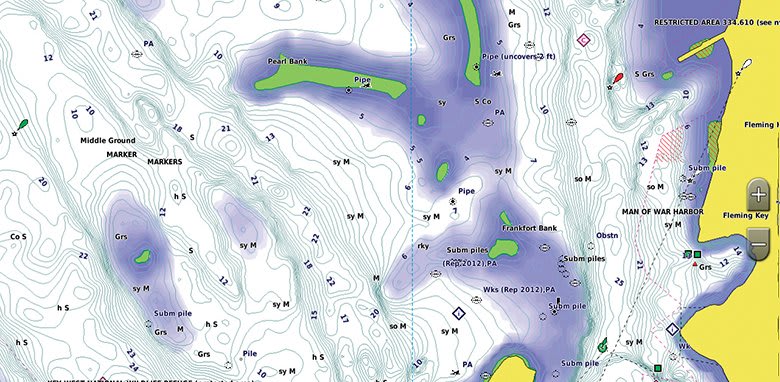
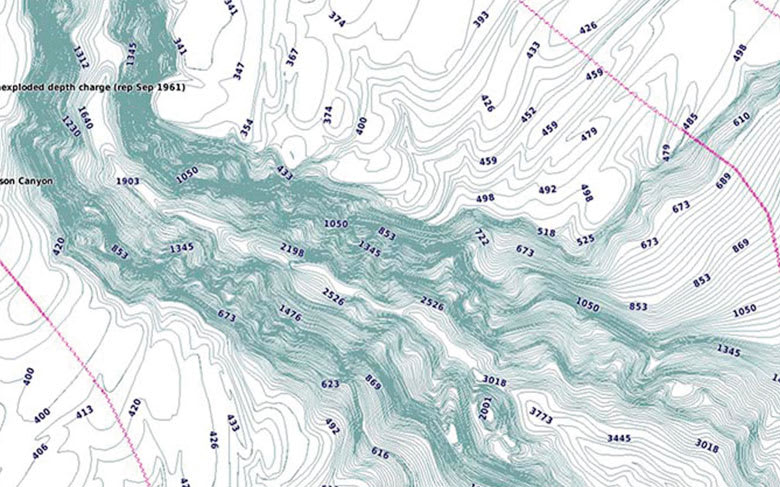
- Coverage can include contours down to 1-foot intervals for a more detailed view of bottom structure.
- Highlight water shallower than a depth you choose.
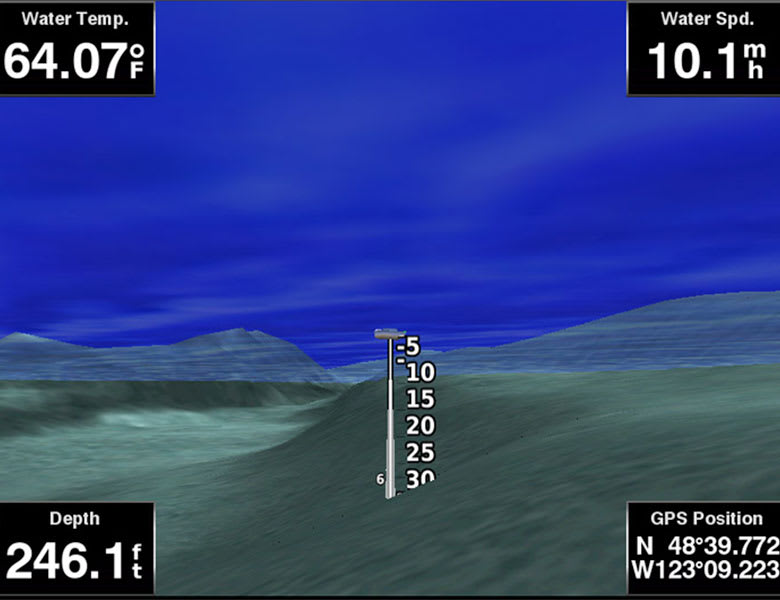
- FishEye View provides a 3D perspective of the bottom.
- MarinerEye View gives a 3D view of the surroundings above and below the waterline.
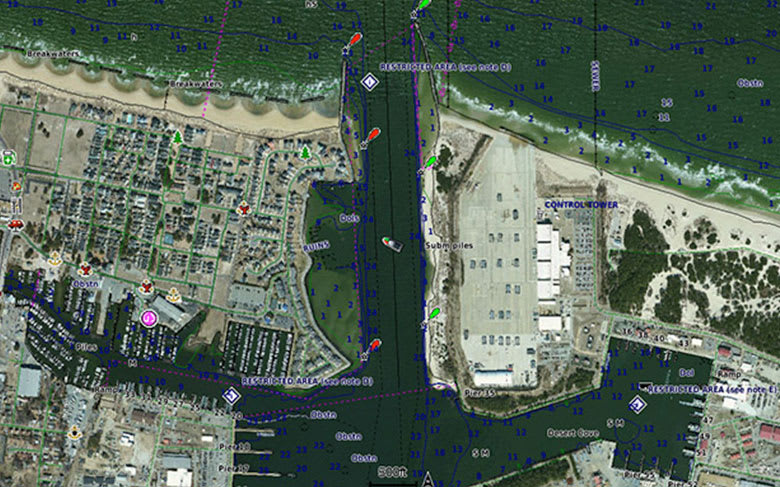
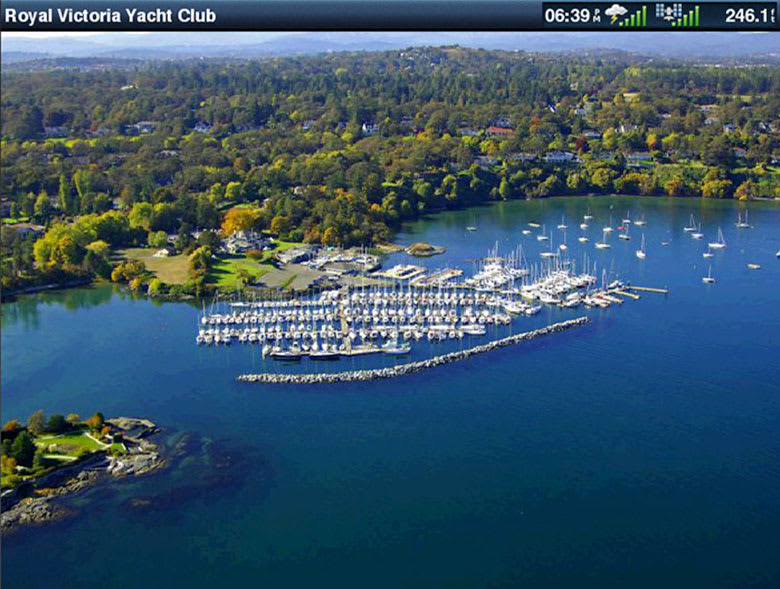
- Aerial photographs show selected ports, harbors and marinas.
- Where included, satellite imagery shows coastal detail and can be displayed over the chart on supported devices.
Chart coverage
Mapped region includes the Gulf of Bothnia from Gavle, SE through Pori, FI including Oulu and Vaasa, FI. Swedish coverage includes Luleå Skärgård, and Lakes Tjeggelvas, Hornavan, Siljan, Runn, Aisjaur, Fluka, Uddjaur, Storavan, Revsundssjön and Storsjön as well as coverage of the lower Dalälven from Gysinge to Söderfors. Coverage of the islands of Hailuoto, Vallgrund, and Åland is also included.
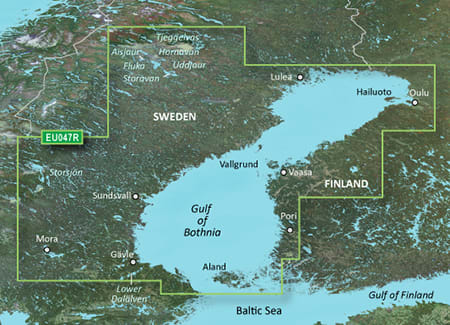
Chart examples
Fitment and installation
Check your exact device in the compatibility list below. Garmin recommends installing the current device software before using a preprogrammed map card.
The card must be inserted to display its maps. It can be moved to another compatible Garmin device. Its data stays on the original card.
Garmin excludes Auto Guidance from the BlueChart g3 charts preloaded on ECHOMAP Plus chartplotters. Capabilities vary with your chartplotter and mapping edition.
Garmin excludes Auto Guidance from the BlueChart g3 charts preloaded on ECHOMAP Plus chartplotters. Capabilities vary with your chartplotter and mapping edition.
Garmin excludes Auto Guidance from the BlueChart g3 charts preloaded on ECHOMAP Plus chartplotters. Capabilities vary with your chartplotter and mapping edition.
Garmin excludes Auto Guidance from the BlueChart g3 charts preloaded on ECHOMAP Plus chartplotters. Capabilities vary with your chartplotter and mapping edition.
Garmin excludes Auto Guidance from the BlueChart g3 charts preloaded on ECHOMAP Plus chartplotters. Capabilities vary with your chartplotter and mapping edition.
Garmin excludes Auto Guidance from the BlueChart g3 charts preloaded on ECHOMAP Plus chartplotters. Capabilities vary with your chartplotter and mapping edition.
Garmin excludes Auto Guidance from the BlueChart g3 charts preloaded on ECHOMAP Plus chartplotters. Capabilities vary with your chartplotter and mapping edition.
Garmin excludes Auto Guidance from the BlueChart g3 charts preloaded on ECHOMAP Plus chartplotters. Capabilities vary with your chartplotter and mapping edition.
Garmin excludes Auto Guidance from the BlueChart g3 charts preloaded on ECHOMAP Plus chartplotters. Capabilities vary with your chartplotter and mapping edition.
Garmin excludes Auto Guidance from the BlueChart g3 charts preloaded on ECHOMAP Plus chartplotters. Capabilities vary with your chartplotter and mapping edition.
Garmin excludes Auto Guidance from the BlueChart g3 charts preloaded on ECHOMAP Plus chartplotters. Capabilities vary with your chartplotter and mapping edition.
Garmin excludes Auto Guidance from the BlueChart g3 charts preloaded on ECHOMAP Plus chartplotters. Capabilities vary with your chartplotter and mapping edition.
Garmin excludes Auto Guidance from the BlueChart g3 charts preloaded on ECHOMAP Plus chartplotters. Capabilities vary with your chartplotter and mapping edition.
Garmin excludes Auto Guidance from the BlueChart g3 charts preloaded on ECHOMAP Plus chartplotters. Capabilities vary with your chartplotter and mapping edition.
Garmin excludes Auto Guidance from the BlueChart g3 charts preloaded on ECHOMAP Plus chartplotters. Capabilities vary with your chartplotter and mapping edition.
Garmin excludes Auto Guidance from the BlueChart g3 charts preloaded on ECHOMAP Plus chartplotters. Capabilities vary with your chartplotter and mapping edition.
Garmin excludes Auto Guidance from the BlueChart g3 charts preloaded on ECHOMAP Plus chartplotters. Capabilities vary with your chartplotter and mapping edition.
Garmin excludes Auto Guidance from the BlueChart g3 charts preloaded on ECHOMAP Plus chartplotters. Capabilities vary with your chartplotter and mapping edition.
Garmin excludes Auto Guidance from the BlueChart g3 charts preloaded on ECHOMAP Plus chartplotters. Capabilities vary with your chartplotter and mapping edition.
Garmin excludes Auto Guidance from the BlueChart g3 charts preloaded on ECHOMAP Plus chartplotters. Capabilities vary with your chartplotter and mapping edition.
Garmin excludes Auto Guidance from the BlueChart g3 charts preloaded on ECHOMAP Plus chartplotters. Capabilities vary with your chartplotter and mapping edition.
Garmin excludes Auto Guidance from the BlueChart g3 charts preloaded on ECHOMAP Plus chartplotters. Capabilities vary with your chartplotter and mapping edition.
Garmin excludes Auto Guidance from the BlueChart g3 charts preloaded on ECHOMAP Plus chartplotters. Capabilities vary with your chartplotter and mapping edition.
Garmin excludes Auto Guidance from the BlueChart g3 charts preloaded on ECHOMAP Plus chartplotters. Capabilities vary with your chartplotter and mapping edition.
Garmin excludes Auto Guidance from the BlueChart g3 charts preloaded on ECHOMAP Plus chartplotters. Capabilities vary with your chartplotter and mapping edition.
Garmin excludes Auto Guidance from the BlueChart g3 charts preloaded on ECHOMAP Plus chartplotters. Capabilities vary with your chartplotter and mapping edition.
Garmin excludes Auto Guidance from the BlueChart g3 charts preloaded on ECHOMAP Plus chartplotters. Capabilities vary with your chartplotter and mapping edition.
Garmin excludes Auto Guidance from the BlueChart g3 charts preloaded on ECHOMAP Plus chartplotters. Capabilities vary with your chartplotter and mapping edition.
Garmin excludes Auto Guidance from the BlueChart g3 charts preloaded on ECHOMAP Plus chartplotters. Capabilities vary with your chartplotter and mapping edition.
Garmin excludes Auto Guidance from the BlueChart g3 charts preloaded on ECHOMAP Plus chartplotters. Capabilities vary with your chartplotter and mapping edition.
Garmin excludes Auto Guidance from the BlueChart g3 charts preloaded on ECHOMAP Plus chartplotters. Capabilities vary with your chartplotter and mapping edition.
Garmin excludes Auto Guidance from the BlueChart g3 charts preloaded on ECHOMAP Plus chartplotters. Capabilities vary with your chartplotter and mapping edition.
Garmin excludes Auto Guidance from the BlueChart g3 charts preloaded on ECHOMAP Plus chartplotters. Capabilities vary with your chartplotter and mapping edition.
Compatible Garmin devices
- ECHOMAP™ Plus 42cv without Transducer
- ECHOMAP™ Plus 43cv
- ECHOMAP™ Plus 44cv
- ECHOMAP™ Plus 45cv
- ECHOMAP™ Plus 62cv without Transducer
- ECHOMAP™ Plus 63cv
- ECHOMAP™ Plus 64cv
- ECHOMAP™ Plus 64cv
- ECHOMAP™ Plus 65cv
- ECHOMAP™ Plus 72cv
- ECHOMAP™ Plus 72sv
- ECHOMAP™ Plus 73cv
- ECHOMAP™ Plus 73sv
- ECHOMAP™ Plus 73sv
- ECHOMAP™ Plus 74cv
- ECHOMAP™ Plus 74sv
- ECHOMAP™ Plus 74sv
- ECHOMAP™ Plus 75cv
- ECHOMAP™ Plus 75sv
- ECHOMAP™ Plus 92sv
- ECHOMAP™ Plus 93sv
- ECHOMAP™ Plus 93sv
- ECHOMAP™ Plus 94sv
- ECHOMAP™ Plus 94sv
- ECHOMAP™ Plus 95sv
- ECHOMAP™ UHD 62cv
- ECHOMAP™ UHD 63cv
- ECHOMAP™ UHD 64cv
- ECHOMAP™ UHD 65cv
- ECHOMAP™ UHD 72cv
- ECHOMAP™ UHD 72sv
- ECHOMAP™ UHD 73cv
- ECHOMAP™ UHD 73sv
- ECHOMAP™ UHD 74cv
- ECHOMAP™ UHD 74sv
- ECHOMAP™ UHD 75cv
- ECHOMAP™ UHD 75sv
- ECHOMAP™ UHD 92sv
- ECHOMAP™ UHD 93sv
- ECHOMAP™ UHD 94sv
- ECHOMAP™ UHD 95sv
- ECHOMAP™ UHD2 5" cv Chartplotters
- ECHOMAP™ UHD2 6" sv Chartplotters
- ECHOMAP™ UHD2 7" cv Chartplotters
- ECHOMAP™ UHD2 7" sv Chartplotters
- ECHOMAP™ UHD2 9" sv Chartplotters
- ECHOMAP™ UHD2 Keyed 5" Ice Fishing Bundle
- ECHOMAP™ Ultra 102sv
- ECHOMAP™ Ultra 106sv
- ECHOMAP™ Ultra 106sv
- ECHOMAP™ Ultra 122sv
- ECHOMAP™ Ultra 126sv
- ECHOMAP™ Ultra 126sv
- ECHOMAP™ Ultra 2 10" Chartplotters
- ECHOMAP™ Ultra 2 12" Chartplotters
- ECHOMAP™ Ultra 2 16" Chartplotters
- ECHOMAP™ Ultra 2 Ice House System
- GPSMAP® 1022
- GPSMAP® 1022xsv
- GPSMAP® 1042xsv
- GPSMAP® 1042xsv
- GPSMAP® 1222
- GPSMAP® 1222 Plus
- GPSMAP® 1222 Touch
- GPSMAP® 1222xsv
- GPSMAP® 1222xsv Plus
- GPSMAP® 1222xsv Plus Bundle
- GPSMAP® 1222xsv Touch
- GPSMAP® 1223
- GPSMAP® 1223 Sailing Bundle
- GPSMAP® 1223xsv
- GPSMAP® 1242 Plus
- GPSMAP® 1242 Touch
- GPSMAP® 1242xsv
- GPSMAP® 1242xsv
- GPSMAP® 1242xsv
- GPSMAP® 1242xsv Plus
- GPSMAP® 1242xsv Plus Bundle
- GPSMAP® 1242xsv Touch
- GPSMAP® 1243
- GPSMAP® 1243 Sailing Bundle
- GPSMAP® 1243xsv
- GPSMAP® 1543xsv
- GPSMAP® 1643
- GPSMAP® 1643xsv
- GPSMAP® 722
- GPSMAP® 722 Plus
- GPSMAP® 722xs
- GPSMAP® 722xs Plus
- GPSMAP® 722xs Plus Bundle
- GPSMAP® 723
- GPSMAP® 723 Sailing Bundle
- GPSMAP® 723xsv
- GPSMAP® 7407
- GPSMAP® 7407xsv
- GPSMAP® 7408
- GPSMAP® 7408xsv
- GPSMAP® 7410
- GPSMAP® 7410xsv
- GPSMAP® 7412
- GPSMAP® 7412xsv
- GPSMAP® 7416
- GPSMAP® 7416xsv
- GPSMAP® 742
- GPSMAP® 742 Plus
- GPSMAP® 742xs
- GPSMAP® 742xs Plus
- GPSMAP® 742xs Plus Bundle
- GPSMAP® 743
- GPSMAP® 743 Sailing Bundle
- GPSMAP® 743xsv
- GPSMAP® 7607
- GPSMAP® 7607xsv
- GPSMAP® 7608
- GPSMAP® 7608xsv
- GPSMAP® 7610
- GPSMAP® 7610xsv
- GPSMAP® 7612
- GPSMAP® 7612xsv
- GPSMAP® 7616
- GPSMAP® 7616xsv
- GPSMAP® 8410
- GPSMAP® 8410xsv
- GPSMAP® 8412
- GPSMAP® 8412xsv
- GPSMAP® 8416
- GPSMAP® 8416xsv
- GPSMAP® 8417 MFD
- GPSMAP® 8422 MFD
- GPSMAP® 8424 MFD
- GPSMAP® 8500 Black Box
- GPSMAP® 8530 Black Box
- GPSMAP® 8610
- GPSMAP® 8610xsv
- GPSMAP® 8612
- GPSMAP® 8612xsv
- GPSMAP® 8616
- GPSMAP® 8616xsv
- GPSMAP® 8624 MFD
- GPSMAP® 86i
- GPSMAP® 8700 Black Box
- GPSMAP® 9010
- GPSMAP® 9010xsv
- GPSMAP® 9013
- GPSMAP® 9013xsv
- GPSMAP® 9017
- GPSMAP® 9017xsv
- GPSMAP® 9019
- GPSMAP® 9022
- GPSMAP® 9024
- GPSMAP® 9027
- GPSMAP® 9210
- GPSMAP® 9210xsv
- GPSMAP® 9213
- GPSMAP® 9213xsv
- GPSMAP® 9217
- GPSMAP® 9217xsv
- GPSMAP® 9219
- GPSMAP® 922
- GPSMAP® 922 Plus
- GPSMAP® 9222
- GPSMAP® 9224
- GPSMAP® 9227
- GPSMAP® 922xs
- GPSMAP® 922xs Plus
- GPSMAP® 922xs Plus Bundle
- GPSMAP® 923
- GPSMAP® 923 Sailing Bundle
- GPSMAP® 923xsv
- GPSMAP® 942
- GPSMAP® 942 Plus
- GPSMAP® 942xs
- GPSMAP® 942xs Plus
- GPSMAP® 942xs Plus Bundle
- GPSMAP® 943
- GPSMAP® 943 Sailing Bundle
- GPSMAP® 943xsv
- GPSMAP® 9500 Black Box
- LiveScope™ Ice Fishing Bundle LI
- LiveScope™ Plus Ice Fishing Bundle LI
- LiveScope™ Plus Lithium-ion Ice Fishing Bundle
- Panoptix™ PS22-IF Ice Fishing Bundle
- Volvo Penta Glass Cockpit System
